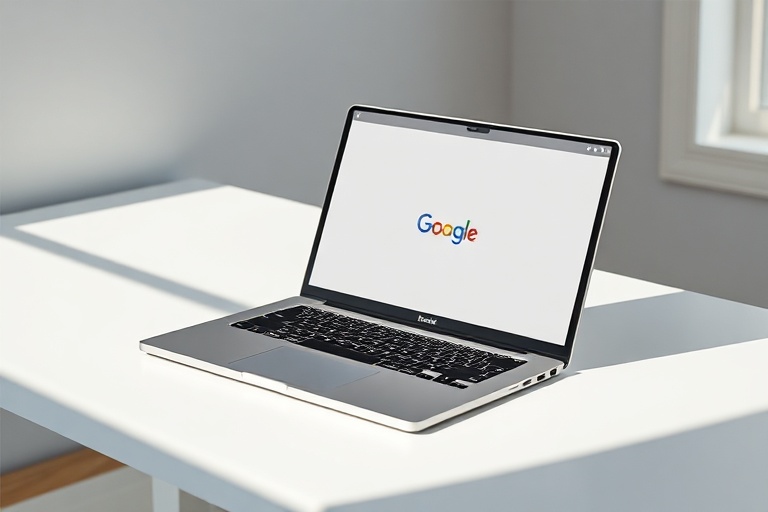
Google Laptops Explained: ChromeOS Devices and Their Impact
Google’s foray into the laptop market began with a simple yet bold idea: create devices that prioritize speed, simplicity, and cloud integration. Unlike traditional laptops that rely heavily on local storage and processing power, Google’s laptops—commonly referred to as Chromebooks—were designed from the ground up to operate primarily through web-based applications and Google’s ecosystem. This approach has reshaped how users, particularly in education and business sectors, interact with technology.
The journey started in 2011 with the launch of the first Chromebooks, developed in partnership with manufacturers like Samsung and Acer. These early models were met with skepticism due to their limited offline capabilities and reliance on internet connectivity. However, over the years, Google has refined the concept, addressing these concerns while expanding the capabilities of its laptops.
The Design Philosophy Behind Google Laptops
Google’s laptops are built on a philosophy of minimalism and efficiency. The hardware is intentionally streamlined to ensure fast boot times, seamless updates, and long battery life. Unlike Windows or macOS laptops, which often come with bloatware and complex interfaces, ChromeOS devices offer a clean, distraction-free experience. This design ethos appeals to users who prioritize productivity over raw performance.
Most Google laptops feature lightweight, durable materials such as aluminum or reinforced plastic, making them portable and resilient. The keyboards are typically backlit and optimized for comfort, while the displays range from 11 to 15 inches, catering to different user needs. For instance, the Google Pixelbook Go is praised for its 13.3-inch “Molecular Display” with a 3:2 aspect ratio, which enhances readability and productivity.
The absence of a traditional hard drive in favor of solid-state storage (SSD) further contributes to the devices’ speed and reliability. Google laptops also include a built-in security chip, the Titan C, which protects against malware and unauthorized access. This hardware-level security is a significant advantage in an era where cyber threats are increasingly sophisticated.
Key Models and Their Unique Features
Google’s laptop lineup has evolved significantly since its inception, with each generation introducing new features tailored to specific audiences. Below are some of the most notable models and what sets them apart:
- Google Pixelbook (2017): Often considered the flagship model, the Pixelbook combined premium design with powerful hardware, including an Intel Core i7 processor and a 4K display. It also introduced Google Assistant integration, allowing users to perform tasks via voice commands.
- Pixelbook Go (2019): A more affordable alternative to the Pixelbook, the Go focused on portability and battery life. It featured a “hush” keyboard for quiet typing and a magnesium alloy body, weighing just 2.3 pounds. The battery life was advertised to last up to 12 hours on a single charge.
- Chromebook Duet (2020): This 2-in-1 device blurred the line between laptops and tablets, featuring a 10.1-inch touchscreen and detachable keyboard. It was one of the first Chromebooks to run on a MediaTek Helio P60T processor, offering a balance between performance and affordability.
- Lenovo Chromebook Duet 5 (2021): An evolution of the original Duet, this model introduced an OLED display and a sleeker design. It catered to users who wanted a compact, high-performance device for both work and entertainment.
Each of these models reflects Google’s commitment to innovation, whether through hardware advancements or software optimizations. The Pixelbook series, in particular, has set a benchmark for what a premium Chromebook can achieve, while the Duet line has made ChromeOS more accessible to casual users.
Performance and Use Cases: Who Are Google Laptops For?
Google laptops are not designed for everyone. Their strengths lie in specific use cases where simplicity, affordability, and cloud integration are prioritized. Below are the primary audiences that benefit most from these devices:
- Students and Educators: Chromebooks have become a staple in classrooms worldwide due to their low cost, ease of management, and compatibility with educational software like Google Classroom. Schools appreciate the ability to deploy and update devices remotely, reducing IT overhead.
- Business Professionals: For tasks that rely on web-based tools like Google Workspace, Slack, or Zoom, Chromebooks offer a lightweight, secure alternative to traditional laptops. Their fast boot times and long battery life make them ideal for remote work and travel.
- Casual Users: Individuals who primarily use their laptops for browsing, streaming, and light productivity will find Chromebooks more than sufficient. The absence of resource-intensive applications means these devices rarely slow down over time.
- Developers and Tech Enthusiasts: While not as powerful as high-end Windows or macOS laptops, Chromebooks can run Linux applications, making them suitable for coding and development. The ChromeOS Linux environment allows users to install development tools like Python, VS Code, and Docker.
However, Google laptops are not ideal for users who require specialized software like Adobe Photoshop, AutoCAD, or high-end video editing tools. While Android and Linux app support has improved, the lack of native support for many desktop applications remains a limitation. That said, for users whose workflows are primarily web-based, the trade-offs are minimal.
The Future of Google Laptops: What’s Next?
Google continues to innovate with its laptop lineup, with several trends likely to shape its future. One area of focus is AI integration. Google has already introduced features like the “Help Me Write” tool in ChromeOS, which uses generative AI to assist with writing emails and documents. Future updates may bring even more advanced AI capabilities, such as real-time transcription or intelligent task automation.
Another trend is the expansion of foldable and dual-screen Chromebooks. Google has experimented with foldable displays in its Pixel smartphones, and it’s not far-fetched to imagine similar designs in future laptops. These devices could offer new ways to multitask, such as using one screen for a document and another for reference materials.
Hardware improvements are also on the horizon. Google has partnered with Qualcomm to develop laptops powered by ARM-based processors, which could significantly boost battery life and performance. The upcoming Snapdragon 8cx Gen 3, for example, promises all-day battery life and 5G connectivity, making Google laptops even more appealing for on-the-go users.
The company is also likely to focus on sustainability, given the growing demand for eco-friendly tech. Future Chromebooks may incorporate recycled materials, modular designs for easier repairs, and energy-efficient components to reduce their environmental footprint.
Conclusion: Weighing the Pros and Cons
Google laptops offer a compelling alternative to traditional Windows and macOS devices, particularly for users who value simplicity, affordability, and cloud integration. Their lightweight design, fast performance, and robust security make them an excellent choice for students, professionals, and casual users alike. However, the lack of native support for many desktop applications remains a significant drawback for power users.
The future of Google laptops looks promising, with advancements in AI, foldable displays, and ARM-based processors poised to elevate the platform to new heights. As Google continues to refine its hardware and software ecosystem, Chromebooks may well become a mainstream choice for a broader range of users.
For those considering a switch from traditional laptops, Google’s devices are worth exploring. Whether you’re a student, a professional, or simply someone looking for a hassle-free computing experience, there’s likely a Google laptop that fits your needs.