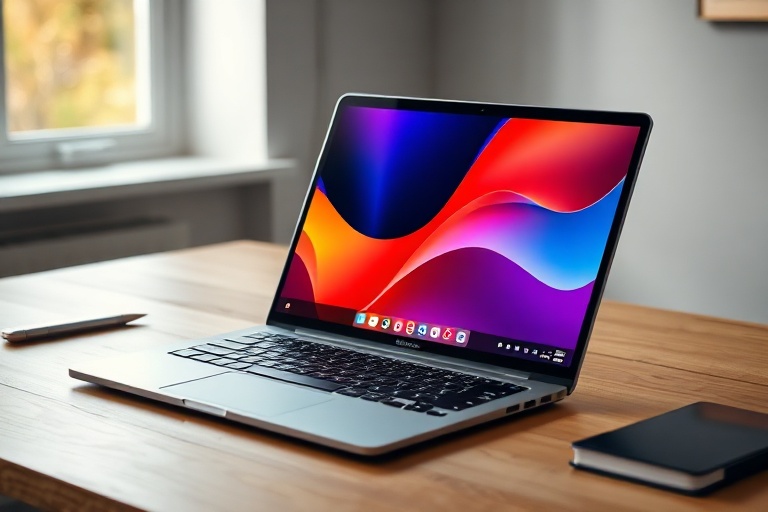
Google Laptops Explained: ChromeOS Devices and Their Place in 2024
Google’s approach to laptops has evolved significantly since the introduction of ChromeOS. Unlike traditional Windows or macOS machines, Google’s laptops prioritize simplicity, speed, and cloud integration. These devices, often referred to as Chromebooks, have carved out a distinct niche in the market, appealing to students, professionals, and casual users alike. While they may not match the raw power of high-end Windows laptops, their streamlined design and seamless connectivity with Google services make them a compelling choice for many.
The Evolution of Google’s Laptop Lineup
Google’s journey into laptops began with the Chromebook Pixel in 2013, a premium device that showcased the potential of ChromeOS. With a high-resolution display, sleek aluminum body, and innovative features like a touchpad with haptic feedback, it set a new standard for what Chromebooks could achieve. However, the Pixel was discontinued in 2016, leaving a gap in the market for a high-end Google-branded laptop.
In 2022, Google re-entered the laptop market with the Pixelbook Go, a lightweight and durable device designed for portability and performance. The Pixelbook Go featured a magnesium alloy body, a 13.3-inch “Molecular Display” with 1080p or 4K options, and up to 12 hours of battery life. Its emphasis on battery efficiency and build quality reflected Google’s commitment to refining the Chromebook experience.
Beyond Google’s own devices, the broader Chromebook ecosystem has flourished. Manufacturers like Acer, Lenovo, and HP have produced a wide range of Chromebooks, catering to different budgets and use cases. From budget-friendly models for students to powerful machines for professionals, the diversity of options ensures that there’s likely a Google laptop—or a Chromebook—for nearly every need.
Key Features That Define Google Laptops
Google laptops are built around a few core principles: speed, security, and integration with Google’s ecosystem. Here’s a closer look at what sets them apart:
- ChromeOS: The operating system is lightweight and designed to boot up in seconds. It relies heavily on web apps and cloud storage, though offline functionality has improved over time.
- Security: ChromeOS is inherently secure due to its sandboxed architecture and automatic updates. Malware is less of a concern compared to traditional operating systems.
- Google Integration: Seamless access to Google Drive, Docs, Sheets, and Gmail is a given. Many models also support Google Assistant for hands-free productivity.
- Affordability: Even Google’s own Pixelbook Go starts at $649, but the broader Chromebook market offers options as low as $200, making them accessible to a wide audience.
The focus on simplicity doesn’t mean Google laptops lack power. The Pixelbook Go, for example, is powered by Intel Core processors and offers up to 16GB of RAM and 256GB of storage. While these specs may not rival a high-end gaming laptop, they’re more than sufficient for everyday tasks like browsing, streaming, and document editing.
Who Should Consider a Google Laptop?
Google laptops aren’t for everyone, but they excel in specific scenarios. Students, for instance, benefit from the affordability and portability of Chromebooks. Schools across the U.S. have adopted Chromebooks en masse due to their low cost and ease of management. Similarly, professionals who rely on Google Workspace (formerly G Suite) will find these laptops perfectly suited to their workflows.
Creative professionals might find Google laptops limiting. While Android app support has expanded the capabilities of ChromeOS, it still pales in comparison to the software ecosystem available on Windows or macOS. Graphic designers, video editors, and gamers will likely need more robust hardware. However, for those who primarily work with documents, spreadsheets, and web-based tools, Google laptops offer a streamlined and efficient experience.
Another key demographic is users who prioritize battery life and portability. The Pixelbook Go, for example, weighs just 2.3 pounds and can last a full workday on a single charge. This makes it an ideal choice for travelers, remote workers, and anyone who needs a reliable machine on the go.
Comparing Google Laptops to Traditional Laptops
To understand where Google laptops fit in the broader market, it’s helpful to compare them to traditional Windows and macOS laptops. Here’s a breakdown of the key differences:
- Operating System: Windows and macOS offer a vast array of software, from professional-grade applications to niche tools. ChromeOS, while growing, is still limited to web apps and Android titles.
- Hardware Variety: Windows laptops span a huge range, from budget machines to high-performance gaming rigs. Apple’s MacBooks cater to professionals and creatives. Google laptops, by contrast, are more homogeneous, with fewer options for customization.
- Price Point: Google laptops are generally more affordable than MacBooks, though they can compete with mid-range Windows laptops. The Pixelbook Go, for example, sits in a similar price bracket to a MacBook Air but lacks some of the premium features.
- Ecosystem Lock-in: Google laptops thrive in environments where Google services are already in use. If you rely on Microsoft Office or Adobe Creative Cloud, a traditional laptop might be a better fit.
One area where Google laptops have an edge is in software updates. ChromeOS updates automatically in the background, ensuring users always have the latest features and security patches without any effort. This is a stark contrast to Windows, where updates can sometimes disrupt workflows or require manual intervention.
The Future of Google Laptops
Google’s commitment to laptops appears stronger than ever. Rumors of new Pixelbook models have circulated, including speculation about a foldable Chromebook or a device with a detachable screen. While Google has remained tight-lipped about future releases, the company’s focus on AI and machine learning could lead to innovative features in upcoming models.
Another area of potential growth is the enterprise market. Google has been pushing ChromeOS as a secure and manageable solution for businesses, particularly in sectors like education and healthcare. The ability to deploy and manage devices at scale makes Chromebooks an attractive option for IT administrators.
For consumers, the future may bring more competition and innovation. As ChromeOS continues to evolve, we could see better support for Linux applications, improved offline functionality, and even more powerful hardware options. Google’s recent partnerships with manufacturers like Samsung and Asus suggest that the Chromebook ecosystem will only expand.
Final Thoughts: Is a Google Laptop Right for You?
Google laptops, particularly Chromebooks, offer a unique blend of affordability, simplicity, and integration with Google services. They’re not designed to replace high-end Windows or MacBooks, but they excel in scenarios where portability, battery life, and ease of use are priorities. Whether you’re a student, a professional, or someone looking for a secondary device, a Google laptop could be a smart investment.
For those who need more power or specialized software, a traditional laptop may still be the better choice. However, if you’re already embedded in Google’s ecosystem and value efficiency over raw performance, a Chromebook—or even a Pixelbook Go—could be the perfect fit. As Google continues to refine its laptop lineup, the line between Chromebooks and traditional laptops may blur even further, offering users the best of both worlds.
Before making a purchase, consider your specific needs. If you’re unsure, visiting a technology retailer to test out a Chromebook in person can provide valuable insight. Ultimately, the best laptop is the one that aligns with your workflow and enhances your productivity.