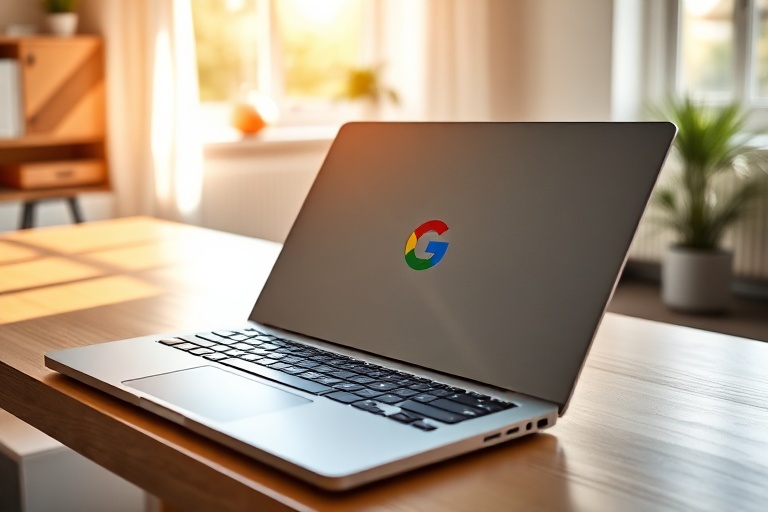
Google Laptops in 2024: ChromeOS Devices Explained
Google’s approach to laptops has evolved significantly since the company first introduced ChromeOS in 2011. What began as a simple, web-dependent operating system has matured into a full-fledged platform powering a diverse range of devices. Today, Google laptops—primarily Chromebooks—occupy distinct market segments, from budget-friendly education tools to premium business machines.
The relationship between Google and its hardware partners has shaped this ecosystem. Companies like Acer, Lenovo, HP, and Dell have collaborated with Google to produce Chromebooks that cater to different user needs. Meanwhile, Google’s own Pixelbook line, though discontinued, set benchmarks for design and performance in the ChromeOS space.
The Evolution of Google’s Laptop Strategy
Google’s laptop strategy has shifted from experimentation to specialization. In the early years, Chromebooks were primarily marketed as low-cost alternatives to Windows and macOS devices, appealing to schools and budget-conscious consumers. However, as ChromeOS matured, Google began targeting higher-end markets with more powerful hardware and refined software experiences.
Key milestones include:
- 2011: Introduction of ChromeOS and early Chromebooks like the Samsung Series 5.
- 2013: Google launched its first Pixelbook, a premium Chromebook with a high-resolution display and Google Assistant integration.
- 2018: Google introduced the Pixel Slate, a detachable 2-in-1 device that attempted to bridge the gap between tablets and laptops.
- 2020: The company shifted focus back to traditional laptops with the Pixelbook Go, emphasizing portability and battery life.
While Google has scaled back its direct hardware efforts in recent years, its influence on the laptop market remains strong. The company continues to drive innovation in ChromeOS, with features like Linux app support, Android app compatibility, and seamless Google Workspace integration.
Key Features of Modern Google-Powered Laptops
Chromebooks running ChromeOS offer several advantages that set them apart from traditional laptops. These devices are designed to be fast, secure, and easy to use, with most tasks handled through the Chrome browser. However, modern Chromebooks have expanded far beyond basic web browsing.
Notable features include:
- Speed and Simplicity: ChromeOS boots up in seconds and requires minimal maintenance. Updates are automatic and seamless, reducing downtime for users.
- Security: Chromebooks are inherently secure due to their sandboxed architecture and automatic updates. Malware is rare, and data is often stored in the cloud.
- Google Workspace Integration: Built-in support for Google Docs, Sheets, and Drive makes these laptops ideal for students and professionals who rely on cloud-based workflows.
- Android App Support: Since 2016, Chromebooks can run Android apps from the Google Play Store, expanding their functionality beyond web apps.
- Linux Support: Advanced users can install Linux apps, enabling development, programming, and other resource-intensive tasks.
Hardware varies widely across models. Budget Chromebooks often feature MediaTek or Intel Celeron processors, while premium options like the HP Chromebook x2 or Dell Latitude 7410 Chromebook Enterprise include Intel Core i5/i7 chips and high-resolution displays. Battery life is another standout feature, with many Chromebooks offering 10+ hours of use on a single charge.
Who Should Buy a Google Laptop?
Google laptops cater to specific user segments, and their value proposition depends largely on individual needs. Here’s a breakdown of who benefits most from ChromeOS devices:
- Students: Chromebooks are widely adopted in K-12 education due to their affordability, durability, and ease of management. Schools appreciate the centralized admin controls and automatic updates.
- Casual Users: For those who primarily browse the web, stream media, or use productivity apps like Google Docs, a Chromebook offers a lightweight, hassle-free experience.
- Business Professionals: Enterprise-grade Chromebooks provide secure, cloud-based workflows with options for offline functionality. Companies like Google and Salesforce have adopted them for their workforce.
- Travelers and Remote Workers: The long battery life and portability of many Chromebooks make them ideal for users on the go. Models like the ASUS Chromebook Flip C434 are thin, lightweight, and durable.
However, ChromeOS isn’t for everyone. Users who rely on specialized software like Adobe Photoshop, AutoCAD, or Microsoft Access may find the platform limiting. While Linux app support helps, it doesn’t yet match the capabilities of native Windows or macOS applications.
The Future of Google Laptops and ChromeOS
Google’s laptop strategy continues to evolve, with a renewed focus on artificial intelligence and cloud integration. Recent updates to ChromeOS have introduced AI-powered features, such as real-time translation and smart replies, which enhance productivity.
Hardware innovation is also on the horizon. Rumors suggest Google may revive its Pixelbook line with AI-driven capabilities, potentially integrating its Gemini AI model directly into the operating system. Meanwhile, hardware partners are pushing the boundaries of what Chromebooks can do, with devices like the Lenovo ThinkPad C14 Chromebook combining rugged design with high performance.
Another area of growth is the gaming market. While Chromebooks have historically struggled with gaming due to limited app support, the rise of cloud gaming services like GeForce Now and Xbox Cloud Gaming has opened new possibilities. Devices like the Acer Chromebook 516 GE are specifically designed for gaming, featuring high-refresh-rate displays and powerful GPUs.
Looking ahead, ChromeOS could further blur the lines between traditional laptops and other form factors. The growing popularity of foldable and dual-screen devices may inspire new Chromebook designs that leverage Google’s software strengths.
Making the Right Choice: Google Laptop Buying Guide
If you’re considering a Google laptop, here’s a quick guide to help you narrow down your options:
- Budget: Chromebooks range from under $200 to over $1,000. Determine how much you’re willing to spend and prioritize features accordingly.
- Use Case: Are you a student, professional, or casual user? Your needs will dictate whether you need a lightweight model, a 2-in-1 convertible, or a rugged device.
- Performance: For basic tasks, a Chromebook with an Intel Celeron or MediaTek processor is sufficient. For more demanding workloads, look for Intel Core i3/i5/i7 or AMD Ryzen chips.
- Display and Design: Premium models often feature high-resolution touchscreens, while budget options may have smaller, lower-quality displays. Consider factors like weight, thickness, and build materials.
- Battery Life: Most Chromebooks offer 8-12 hours of battery life, but some models, like the Google Pixelbook Go, exceed 15 hours on a single charge.
For those interested in exploring specific models, Dave’s Locker Technology section offers in-depth reviews and comparisons of the latest laptops.
Conclusion: Are Google Laptops Worth It?
Google laptops, particularly Chromebooks, occupy a unique niche in the market. They are not designed to replace traditional Windows or macOS devices for everyone, but they excel in scenarios where simplicity, security, and affordability are priorities. For students, educators, and casual users, a Chromebook can be a practical and cost-effective choice.
However, the platform’s limitations—such as restricted software compatibility and reliance on cloud services—mean it won’t suit power users or professionals who depend on specialized applications. As ChromeOS continues to evolve, with improvements in AI, gaming, and hardware integration, its appeal may broaden. For now, Google laptops remain a solid option for those who value efficiency and ease of use over raw performance.
For more insights into the latest laptop trends, visit Dave’s Locker Technology category.