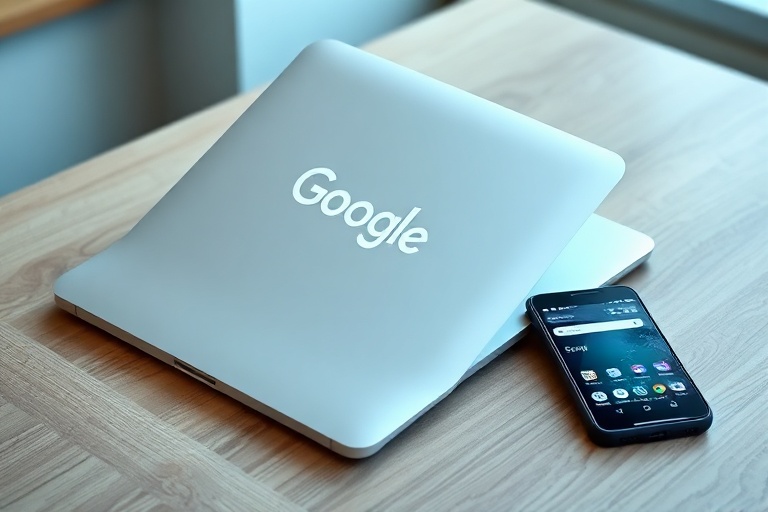
google laptops
ChromeOS laptops have evolved from simple web browsing tools into powerful, versatile machines. Google’s lineup of laptops, primarily under the Pixelbook and Chromebook brands, offers a unique blend of affordability, performance, and integration with Google’s ecosystem. These devices cater to students, professionals, and casual users alike, challenging traditional Windows and macOS laptops in specific niches.
The Evolution of Google Laptops
Google’s journey into the laptop market began with Chromebooks in 2011, designed to run ChromeOS—a lightweight operating system centered around the Chrome browser. Initially, these devices were criticized for their limited offline capabilities and reliance on web apps. However, over the years, Google has significantly improved ChromeOS, adding support for Android apps, Linux, and even some traditional desktop software.
The introduction of the Pixelbook in 2017 marked a turning point. Unlike earlier Chromebooks, the Pixelbook was positioned as a premium device, competing with high-end laptops like the MacBook Air and Dell XPS 13. It featured a sleek aluminum design, a 360-degree hinge, and a touchscreen, appealing to users who wanted a blend of portability and performance. Google continued this trend with the Pixelbook Go in 2019, a more affordable alternative that retained many of the premium features of its predecessor.
Today, Google’s laptop lineup includes a mix of budget-friendly Chromebooks and high-end Pixelbooks, each catering to different user needs. While Chromebooks remain popular in education, the Pixelbook line has carved out a niche in the professional and creative markets. The evolution of Google laptops reflects broader trends in computing, where cloud-based workflows and simplicity are increasingly valued.
Key Features of Google Laptops
Google laptops stand out for several reasons, starting with their operating system. ChromeOS is designed to be fast, secure, and easy to use, with automatic updates and built-in virus protection. Unlike Windows or macOS, ChromeOS boots up in seconds and prioritizes web-based applications, though it now supports a growing ecosystem of Android and Linux apps.
Hardware and Design
The Pixelbook Go, for example, weighs just 2.3 pounds and features a magnesium-alloy body, a backlit keyboard, and a 13.3-inch display with 1080p resolution. It also includes a battery that lasts up to 12 hours, making it ideal for on-the-go users. The Pixelbook, on the other hand, offers a higher-resolution display, a 2-in-1 form factor, and optional 4K screens, catering to users who need more versatility.
Google laptops also emphasize security. ChromeOS is inherently more resistant to malware due to its sandboxed architecture, and features like verified boot ensure that the system remains uncompromised. Additionally, Google’s Titan C security chip, found in some Pixelbook models, provides hardware-level protection against attacks.
Software and Ecosystem
ChromeOS is tightly integrated with Google’s services, including Google Drive, Gmail, and Google Meet. Files are automatically backed up to the cloud, and users can seamlessly transition between devices using their Google account. The addition of Android app support has further expanded the capabilities of Google laptops, allowing users to run apps like Adobe Photoshop, Spotify, and even Microsoft Office.
For developers and power users, ChromeOS now supports Linux through its Linux (Beta) feature. This allows users to install and run Linux applications natively, opening up possibilities for coding, graphic design, and other professional workflows. While not as robust as a full Linux distribution, this feature has made Google laptops more appealing to technical users.
Who Should Buy a Google Laptop?
Google laptops aren’t for everyone, but they excel in specific scenarios. Their strengths lie in simplicity, affordability, and integration with Google’s ecosystem. Here’s a breakdown of who might benefit most from a Google laptop:
- Students: Chromebooks are widely used in schools due to their low cost, ease of management, and long battery life. Many educational institutions provide Chromebooks to students, and the devices are durable enough to withstand daily use.
- Casual Users: If you primarily browse the web, stream videos, or use cloud-based apps like Google Docs or Sheets, a Chromebook is a practical choice. It’s lightweight, fast, and requires minimal maintenance.
- Professionals on a Budget: The Pixelbook Go offers a premium experience at a lower price point than many Windows or Mac alternatives. It’s ideal for remote workers, freelancers, or small business owners who need a reliable machine for emails, spreadsheets, and video calls.
- Creative Professionals: While not as powerful as a MacBook Pro, the Pixelbook’s touchscreen and support for Android apps make it a viable option for artists, designers, and writers who work within Google’s ecosystem.
However, Google laptops may not suit everyone. Users who rely on resource-intensive software like Adobe Premiere Pro, AutoCAD, or high-end video games will find ChromeOS limiting. Additionally, while Android app support has improved, some apps may not run as smoothly as they do on Android tablets or Windows laptops. Users who need extensive offline functionality or compatibility with specialized software may still prefer Windows or macOS.
For those unsure whether a Google laptop is right for them, exploring the Technology category on Dave’s Locker can provide comparisons with other devices. It’s also worth checking out recent tech news to see how Google laptops stack up against competitors in real-world tests.
The Future of Google Laptops
Google continues to innovate with its laptop lineup, and the future looks promising. One area of potential growth is the integration of artificial intelligence. Google’s AI-powered features, such as real-time translation in Google Meet or smart replies in Gmail, could be further optimized for ChromeOS, making the laptops even more intuitive and productive.
Hardware improvements are also on the horizon. Rumors suggest that Google may release a new Pixelbook with a more powerful processor, improved display technology, or even a foldable screen. As competition in the laptop market intensifies, Google will likely focus on differentiating its devices with unique features, such as tighter integration with Google Assistant or enhanced security measures.
Another trend to watch is the increasing adoption of cloud-based workflows. As more applications move to the cloud, the need for high-end local hardware diminishes. Google laptops, with their lightweight OS and cloud-first approach, are well-positioned to benefit from this shift. This could make them even more appealing to businesses and educational institutions looking to reduce IT costs.
However, Google laptops will need to address some lingering challenges. Battery life, while improved, still lags behind some competitors. The lack of a robust app ecosystem remains a hurdle, even with Android and Linux support. And while ChromeOS is secure, it may never achieve the same level of software compatibility as Windows or macOS. Overcoming these challenges will be key to Google’s success in the laptop market.
Final Thoughts
Google laptops offer a compelling alternative to traditional Windows and macOS devices, particularly for users who prioritize simplicity, affordability, and cloud integration. The Pixelbook and Pixelbook Go have redefined what a Chromebook can be, blending premium design with practical features. While they may not replace high-end laptops for everyone, they serve as an excellent choice for students, professionals, and casual users who want a no-fuss, reliable machine.
As Google continues to refine ChromeOS and expand its hardware offerings, the future of Google laptops looks bright. Whether you’re a long-time Chromebook user or considering a switch from Windows or macOS, these devices are worth a closer look. With ongoing improvements in performance, software support, and ecosystem integration, Google laptops are poised to carve out an even larger share of the market.
For those ready to explore, the Pixelbook Go and Pixelbook remain the best options in Google’s lineup, offering a balance of performance, portability, and value. And for the latest insights and comparisons, Dave’s Locker provides a wealth of resources to help you make an informed decision.