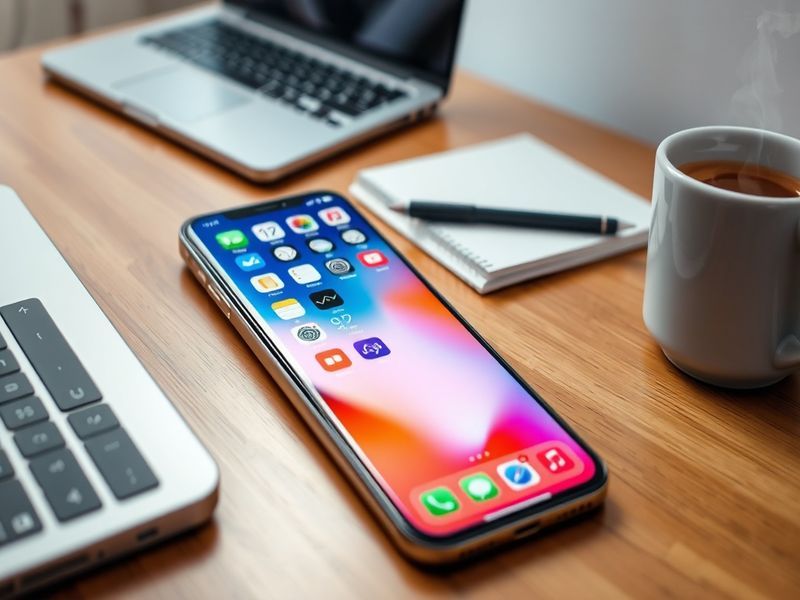
iOS 26.4: Apple’s Security Update and Hidden Improvements
Apple’s latest iOS update, version 26.4, rolled out quietly to millions of devices in early March. While the release notes emphasize security patches, the update includes several understated improvements that enhance privacy and user experience. For iPhone users, this version represents another step in Apple’s ongoing commitment to tightening device security without overwhelming users with flashy new features.
Security Takes Center Stage in iOS 26.4
The most significant aspect of iOS 26.4 is its focus on security vulnerabilities. Apple disclosed fixes for 22 CVEs (Common Vulnerabilities and Exposures), including three that were actively exploited in the wild. These patches address issues across multiple components, from the kernel to WebKit, which could have allowed attackers to execute arbitrary code or access sensitive user data. While Apple has not detailed the specific exploits, the breadth of the fixes suggests a targeted response to emerging threats.
Notably, iOS 26.4 introduces stricter controls for Bluetooth and Wi-Fi connections. Devices now require explicit user confirmation before joining unfamiliar networks, reducing the risk of man-in-the-middle attacks. This change aligns with Apple’s broader push to limit unauthorized access to user data, even in scenarios where users might unknowingly expose their devices to potential risks.
The update also strengthens protections for iCloud Keychain. Apple’s password manager now includes additional encryption layers for stored credentials, making it harder for malicious actors to intercept or decrypt sensitive information. For users who rely on iCloud Keychain for work or personal accounts, this enhancement adds an extra layer of confidence in the security of their stored data.
What’s Fixed in iOS 26.4?
The security patches in iOS 26.4 cover a range of vulnerabilities, including:
- Kernel-level exploits: Potential for arbitrary code execution with kernel privileges.
- WebKit vulnerabilities: Risks associated with malicious web content that could lead to data leaks.
- Bluetooth and Wi-Fi weaknesses: Exposure to unauthorized network access points.
- iCloud Keychain risks: Improved encryption for stored passwords and credit card details.
Apple’s security bulletin for iOS 26.4 does not provide specifics about the exploited vulnerabilities, but the company typically credits researchers and security teams for their assistance. Users are encouraged to update immediately to benefit from these protections, as Apple’s track record shows that exploited vulnerabilities are often patched retroactively.
User Experience Tweaks in iOS 26.4
Beyond security, iOS 26.4 introduces several subtle but meaningful improvements to the user experience. One of the most noticeable changes is the refined haptic feedback in the Messages app. Users sending messages with the new digital touch feature will experience a more nuanced vibration pattern, making interactions feel more tactile and responsive. While this may seem minor, it reflects Apple’s ongoing attention to detail in refining the iPhone’s interface.
The update also improves the reliability of Face ID unlocking in low-light conditions. Apple has adjusted the infrared sensor sensitivity, reducing instances where users had to manually wake their devices or reposition their faces to authenticate. For those who frequently use Face ID in dimly lit environments, this change addresses a long-standing frustration.
Another enhancement lies in the Camera app. iOS 26.4 optimizes the processing of HDR (High Dynamic Range) images, resulting in more balanced exposures in high-contrast scenes. This tweak is particularly beneficial for photography enthusiasts who rely on their iPhones for capturing landscapes or architectural shots where lighting conditions vary dramatically.
Accessibility Improvements
Apple continues to prioritize accessibility in its updates, and iOS 26.4 is no exception. The update includes enhancements to the Magnifier app, which now supports more customizable contrast settings. Users with low vision can adjust the display to better suit their needs, making it easier to read text or identify objects in their surroundings.
The update also improves VoiceOver compatibility with third-party apps. Developers can now use updated APIs to ensure their apps provide a seamless experience for users who rely on screen readers. This change underscores Apple’s commitment to inclusivity, as it encourages a broader ecosystem of accessible applications.
How to Update and What to Expect
Updating to iOS 26.4 is straightforward, but users should take precautions to ensure a smooth process. Before installing, it’s advisable to back up your iPhone using iCloud or a computer. This step is especially important for users who rely on their devices for work or have limited storage capacity.
To update, navigate to Settings > General > Software Update. The update should appear as an available download, typically ranging between 1.5GB and 2.5GB depending on your device model. Apple recommends updating over a Wi-Fi connection to avoid excessive data usage.
Once installed, users may notice a slight increase in battery consumption during the first 24 hours. This is normal as the device reindexes files and adjusts to the new software. However, if battery life remains significantly impacted after 48 hours, it may be worth checking for background app activity or restoring the device.
Potential Issues to Watch For
While iOS 26.4 has been well-received, some users have reported minor issues post-update. A small percentage of users on older devices, such as the iPhone 11 or earlier, have experienced slower performance in apps like Safari and Mail. Apple has not acknowledged these issues publicly, but they may be addressed in a subsequent update.
Another reported issue involves Bluetooth connectivity, particularly with third-party accessories like headphones or car stereos. Some users have found that their devices take longer to reconnect after a restart. If you rely on Bluetooth for daily use, it may be worth unpairing and re-pairing your accessories after updating.
Why iOS 26.4 Matters Beyond the Surface
iOS 26.4 may not introduce groundbreaking features, but its focus on security and stability reflects Apple’s broader strategy. In an era where digital threats are increasingly sophisticated, Apple’s proactive approach to patching vulnerabilities sets a standard for the industry. The update also highlights the company’s dedication to refining existing features rather than chasing trends.
For developers, iOS 26.4 introduces new APIs that enable more secure authentication methods and improved data protection. These tools are particularly valuable for apps handling sensitive user information, such as banking or healthcare applications. By providing robust frameworks, Apple ensures that developers can build safer apps without reinventing the wheel.
For consumers, the update serves as a reminder of the importance of staying current with software releases. While it’s easy to dismiss minor updates as insignificant, iOS 26.4 demonstrates how small changes can collectively enhance the security and usability of a device. In a world where cyber threats are constantly evolving, these updates are a critical line of defense.
Looking ahead, Apple’s focus on security and user experience suggests that future updates will continue to prioritize these areas. Users can expect further refinements to privacy controls, battery optimization, and accessibility features in upcoming releases. For now, iOS 26.4 stands as a testament to Apple’s commitment to delivering reliable and secure software.
Final Thoughts: Should You Update?
The answer is a resounding yes—unless you’re using an unsupported device. iOS 26.4 addresses critical security vulnerabilities and includes meaningful improvements to the user experience. While the changes may not be immediately visible, they contribute to a safer and more refined iPhone experience.
If you’re hesitant about updating due to past issues with battery life or performance, consider waiting a few days for user feedback to emerge. Apple typically releases minor patches within a week or two to address any unforeseen problems. Otherwise, updating to iOS 26.4 is a straightforward way to ensure your device remains secure and efficient.
For those interested in exploring more about Apple’s software updates or security practices, check out our Technology category for additional insights and analysis. Whether you’re a casual user or a tech enthusiast, staying informed about these updates is key to making the most of your iPhone.