Instagram’s Instants feature, introduced in late 2023, transformed how users experience Stories by making them appear full-screen and auto-advancing. While visually immersive, Instants can disrupt the traditional browsing rhythm that many users rely on. If you’ve found yourself overwhelmed by the rapid-fire presentation or simply prefer the classic Stories layout, disabling Instants is straightforward—but the process isn’t immediately obvious.
The feature’s rollout mirrored Instagram’s broader shift toward algorithm-driven content prioritization, which has drawn criticism for reducing user control over content consumption. By understanding how to toggle Instants off, users can reclaim a more deliberate browsing experience while still engaging with Stories in a way that suits their preferences.
Why Instagram Instants Might Not Be for Everyone
Instagram Instants were designed to compete with TikTok’s autoplay model, encouraging longer viewing sessions by removing friction between Stories. However, this approach has unintended consequences for users who value choice in their scrolling habits. The auto-advancing nature of Instants can lead to:
- Reduced engagement with individual posts: Users may scroll past content before fully absorbing it.
- Increased cognitive load: The rapid transitions can feel mentally taxing over extended periods.
- Loss of serendipity: The classic Stories format allowed for accidental discoveries, while Instants prioritize algorithmic suggestions.
For creators, Instants also change the dynamics of Story engagement. Metrics like “time spent” may rise, but meaningful interactions—such as replies or reactions—could decline as users feel less connected to the content they’re consuming. This shift reflects a broader trend in social media where platforms prioritize retention over user satisfaction.
Step-by-Step: Disabling Instagram Instants
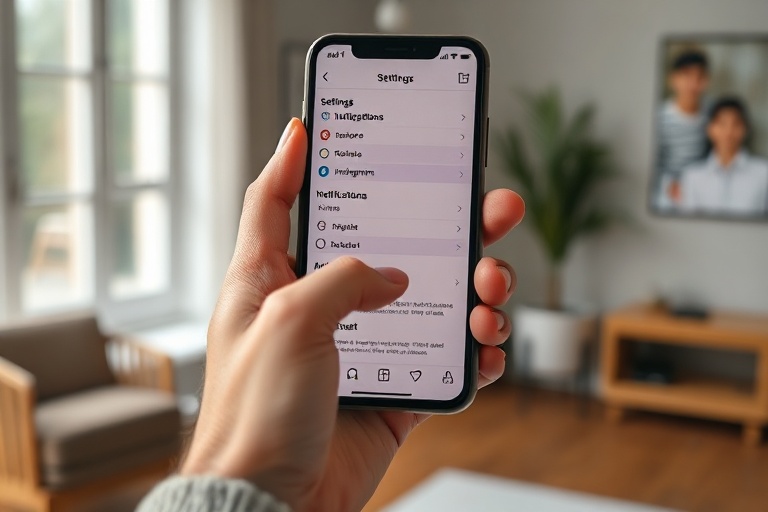
Turning off Instants requires navigating Instagram’s settings, which are not always intuitive. Follow these steps to revert to the traditional Stories format:
- Open Instagram and tap your profile icon in the bottom-right corner to access your profile.
- Tap the three horizontal lines in the top-right corner to open the menu, then select Settings and privacy.
- Choose Stories and replies from the list of options.
- Toggle off Instants under the “Stories” section. The change should take effect immediately.
If you don’t see the Instants toggle, it may be because your app hasn’t updated to the latest version. Ensure your Instagram app is current by checking your device’s app store. Additionally, Instants may not be available in all regions yet, as Instagram continues testing the feature.
The Broader Implications of Instagram’s Algorithm-Driven Changes
Instagram’s push toward Instants and similar features reflects a strategic pivot toward video content and passive consumption. This aligns with parent company Meta’s goal of keeping users engaged for longer periods, a model borrowed from competitors like TikTok and YouTube. However, it also raises questions about the long-term health of the platform.
Studies on social media behavior suggest that users who feel overwhelmed by algorithmic content are more likely to disengage entirely. By forcing features like Instants on users, Instagram risks alienating its core audience—those who enjoy the platform for its curated, visual storytelling. This tension between user experience and business objectives is a recurring theme in the tech industry, where growth often trumps usability.
For creators, the shift to Instants could also impact reach. While autoplay might increase views, it doesn’t necessarily translate to meaningful engagement. Brands and influencers may need to rethink their Story strategies to ensure their content stands out in an increasingly crowded feed.
Alternatives and Workarounds
If disabling Instants doesn’t fully restore the experience you’re looking for, consider these additional strategies:
- Use Instagram Lite: The lightweight version of Instagram may not support Instants, though it lacks some features of the main app.
- Limit screen time: Set app timers to prevent compulsive scrolling, which can mitigate the effects of Instants.
- Explore third-party apps: Some apps allow you to view Stories without the Instants feature, though they may violate Instagram’s terms of service.
Ultimately, the decision to disable Instants comes down to personal preference. Instagram’s algorithm-driven features are here to stay, but users still have some control over their experience. By understanding how to navigate these settings, you can tailor your feed to better align with your browsing habits.
A Balanced Approach to Social Media Consumption
Instagram’s Instants feature is just one example of how platforms are evolving to prioritize engagement over user experience. While these changes can feel disruptive, they also highlight the importance of digital literacy. Taking the time to customize your settings and understand the tools at your disposal is a small but meaningful act of reclaiming agency in a landscape dominated by algorithms.
As social media continues to shape how we consume content, users must strike a balance between adapting to new features and advocating for designs that prioritize their needs. Whether you choose to keep Instants on or turn them off, the key is to remain intentional about how you engage with these platforms.
For more insights on navigating social media trends, visit our Trending and Technology categories on Dave’s Locker.